
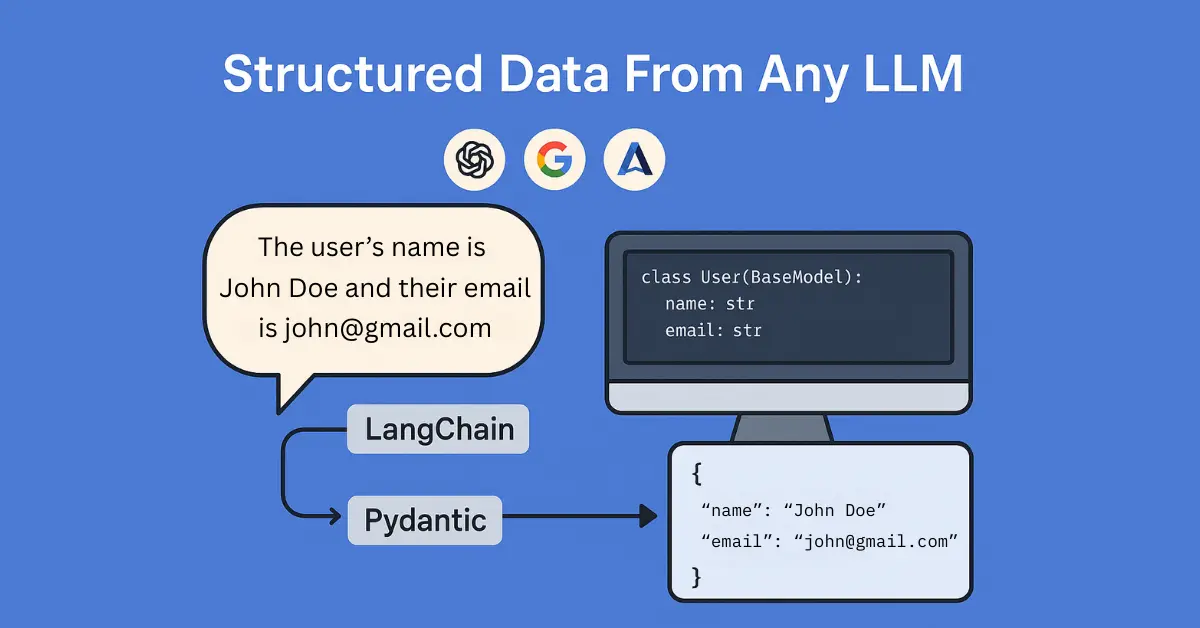
Have you ever struggled to handle the messy, unpredictable outputs of large language models (LLMs)? Extracting precise data points from verbose, free-form text responses can feel like an endless cycle of parsing errors, data inconsistencies, and frustration. Imagine if there were a clean, reliable way to get structured information directly from your LLM responses — no messy text parsing or data cleanup needed.
Good news: there is! By combining LangChain with Pydantic, you can effortlessly capture structured data from any LLM, regardless of the provider you use—be it OpenAI, Anthropic, Google, or others. Structured data not only reduces your parsing headaches but also seamlessly integrates into databases, APIs, and any downstream process, significantly streamlining your AI workflows.
Let’s dive into how you can quickly and easily set this up, saving you hours of manual parsing and boosting your AI development efficiency in under 25 lines of code!
What You’ll Need
- Python (recommend >=3.10)
- LangChain (
pip install langchain langchain-openai langchain-anthropic langchain-google-genai) - Pydantic (
pip install pydantic) - An LLM API key (OpenAI, Anthropic, Google, etc.)
Step-by-Step Guide
1. Define Your Data Structure with Pydantic
First, clearly define what structured data you want to extract. Use Pydantic models to specify the exact format.
from pydantic import BaseModel

class PersonInfo(BaseModel):
    name: str
    age: int
    email: str
2. Set Up Your LangChain Model
Next, initialize your LLM using LangChain’s convenient wrappers. Here are quick examples for multiple popular providers. Your API key needs to be set as an environment variable or directly passed when initializing the model. Also note that we set temperature to 0 here to generate more deterministic outputs.
OpenAI: (Set your API key in env as OPENAI_API_KEY)
from langchain_openai import ChatOpenAI

llm = ChatOpenAI(model="gpt-4o", temperature=0)
Anthropic: (Set your API key in env as ANTHROPIC_API_KEY)
from langchain_anthropic import ChatAnthropic

llm = ChatAnthropic(model="claude-3-opus-20240229", temperature=0)
Google Gemini: (Set your API key in env as GOOGLE_API_KEY)
from langchain_google_genai import ChatGoogleGenerativeAI

llm = ChatGoogleGenerativeAI(model="gemini-pro", temperature=0)
3. Create a Structured Output Chain
Now, bind your Pydantic model directly to the LLM. LangChain’s bind_tools function simplifies this:
from langchain_core.prompts import ChatPromptTemplate

prompt = ChatPromptTemplate.from_template("""
Extract the person's information from the following text:

{text}

Respond ONLY with structured data as per the schema.
""")

structured_llm = llm.bind_tools([PersonInfo])
chain = prompt | structured_llm
4. Extract Structured Data
With your chain ready, extracting structured outputs becomes straightforward:
response = chain.invoke({"text": "John Doe is 30 years old and his email is john.doe@example.com."})
5. Accessing the Structured Data Response
The structured data response from LangChain comes in a convenient JSON-like dictionary format, accessible through the tool_calls attribute. Here’s how you can access and use the structured data:
structured_data_dict = response.tool_calls[0]['args']
print(structured_data_dict)
# Outputs: {'name': 'John Doe', 'age': 30, 'email': 'john.doe@example.com'}
You can now easily integrate this structured dictionary directly into your subsequent workflows, databases, or APIs.
Why This Matters
This method drastically simplifies data extraction tasks in AI development, enhancing consistency and accuracy in your pipelines. By leveraging LangChain and Pydantic, you’ll save valuable time, minimize errors, and boost your productivity. And all in under 25 lines of code!
About LangChain and Pydantic
LangChain is a powerful Python library launched in 2022 designed to streamline the development of applications powered by large language models. It simplifies tasks such as chaining multiple prompts, handling LLM interactions, and managing complex workflows. LangChain supports a wide variety of LLM providers, making it an ideal unified interface for developers.
Pydantic, first released in 2017, is a popular Python data validation library. It provides clear, robust schema definitions for structured data and ensures that your data remains consistent and accurate across your applications. Pydantic excels in simplifying data parsing, validation, and serialization tasks, particularly in web applications and APIs.
Together, LangChain and Pydantic provide a powerful, user-friendly solution to bring structure and clarity to your AI-driven data processes.
Find This Helpful?
To get more AI tutorials like this, subscribe to my newsletter!